 Quick Navigation
 All projects
  Hardware
 Links
Links Top projects
Alan numitron clock
Clapclap 2313/1386
SNES Pi Webserver
USB Volume/USB toys
Smokey amp
Laser cutter
WordClock
ardReveil v3
SNES Arcade cabinet
Game boy projects
cameleon
Home Presence Detector
 GitHub
AlanFromJapan
 Contact me

 Who's Alan?
Akizukidenshi
Elec-lab
Rand Nerd Tut
EEVblog
SpritesMods
AvrFreaks
Gameboy Dev
FLOZz' blog
Switch-science
Sparkfun
Suzusho
Datasheet Lib
Reddit Elec
Ermicro
Carnet du maker (fr)
ir-remote-cloner
Last update: Tue Feb 17 20:52:02 2026
I always wanted to backup my old IR remotes. I have old (25+ years) air conditionner units at home, and 2 remotes died on me already. Before I end up without any replacement second hand, let's do a simple project to address that. And also the cheap remotes of some devices (like my TV monitor for instance).
Presentation
Principle
Points of interrest
Points of frustration
Implementation
Bill of materials
Schematics
👉 Kicad model in my repo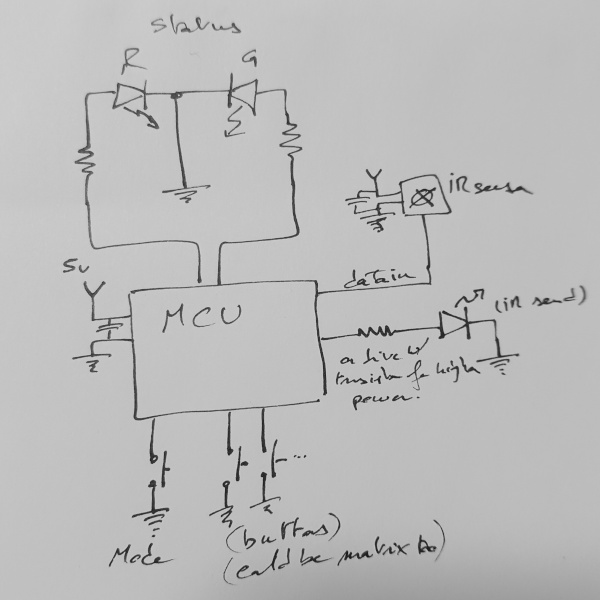
Original handwritten
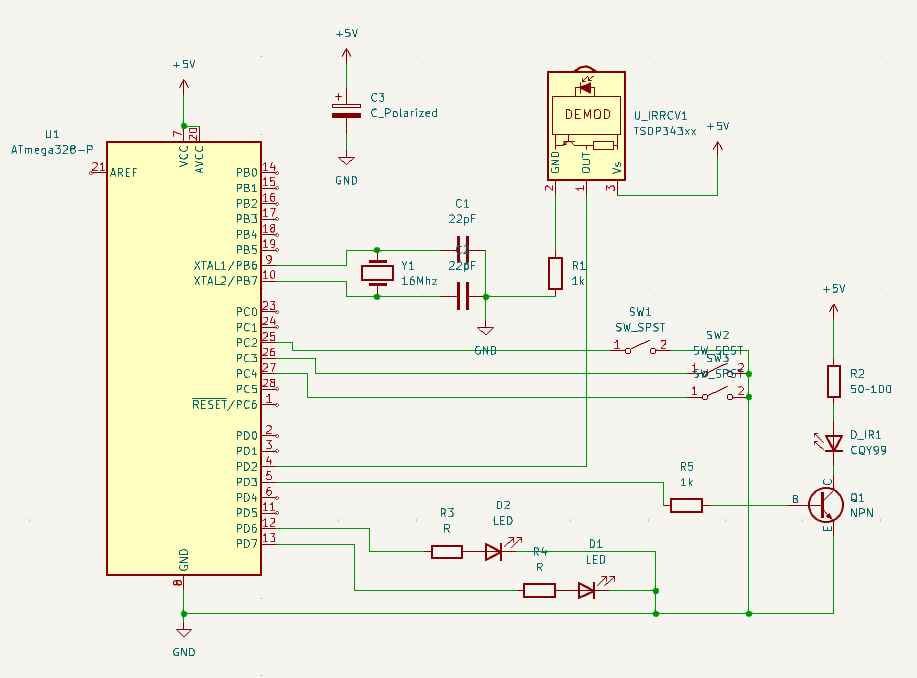
Kicad version
Source code
👉 Source code (arduino and python) on my repoPictures
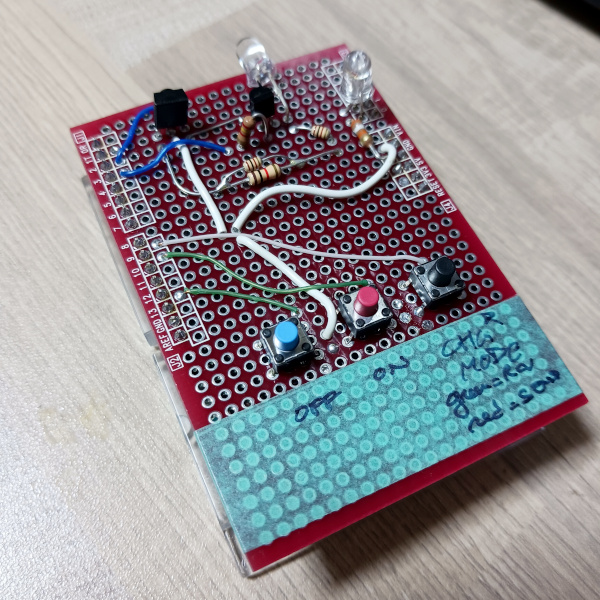
Prototype version for arduino
Links
Helpful sources
Inspiration
electrogeek.tokyo ~ Formerly known as Kalshagar.wikispaces.com and electrogeek.cc (AlanFromJapan [2009 - 2026])